Your shop’s stock kaki.
Count stock with the phone you already have. Scan cartons in, scan sales out, and know what to reorder before a shelf runs empty.
Everything you need to keep your shelves honest.
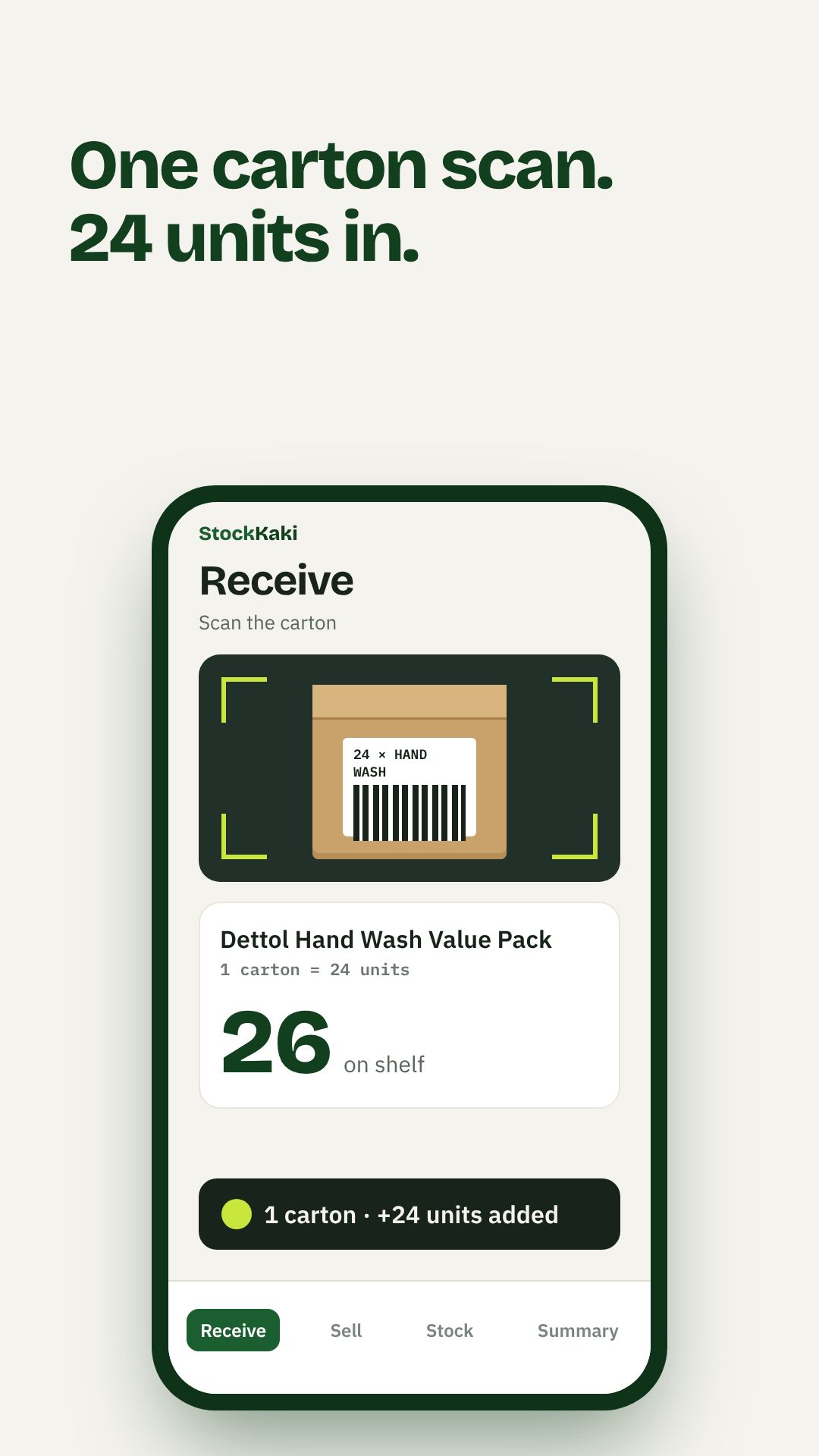
1 scan = 24 units.
Scan the barcode on the outer carton, not every bottle inside. Tell StockKaki how many units a carton holds the first time, and every carton after that is one scan.
- 1Scan the carton’s barcode
- 2First time only: set units per carton
- 3Every carton after: one scan, all units in
Scan to sell
Scan at the counter, or search and tap. Stock drops the moment an item is sold.
Live stock
Every product, lowest first. Low and out-of-stock items are labelled so they stand out.
Low-stock alerts
Set a reorder level per item. Get warned before a shelf runs empty, not after.
Reorder to WhatsApp
Your reorder list, copied in one tap and pasted straight to your supplier.
Shelf count mode
Doing a stocktake? Type what is on the shelf and StockKaki sets the exact number.
Your price list
Keep shelf prices in one place. Confirm or correct each one with a tap.
From sign-up to your first reorder, in four steps.
No training day. Watch the 70-second walkthrough, then start with one shelf.
Create your shop
Sign up with your shop name and mobile number. Open StockKaki in your phone’s browser and add it to your home screen.
Scan each product once
Go shelf by shelf. Scan an item, check its name and price, and type how many are on the shelf.
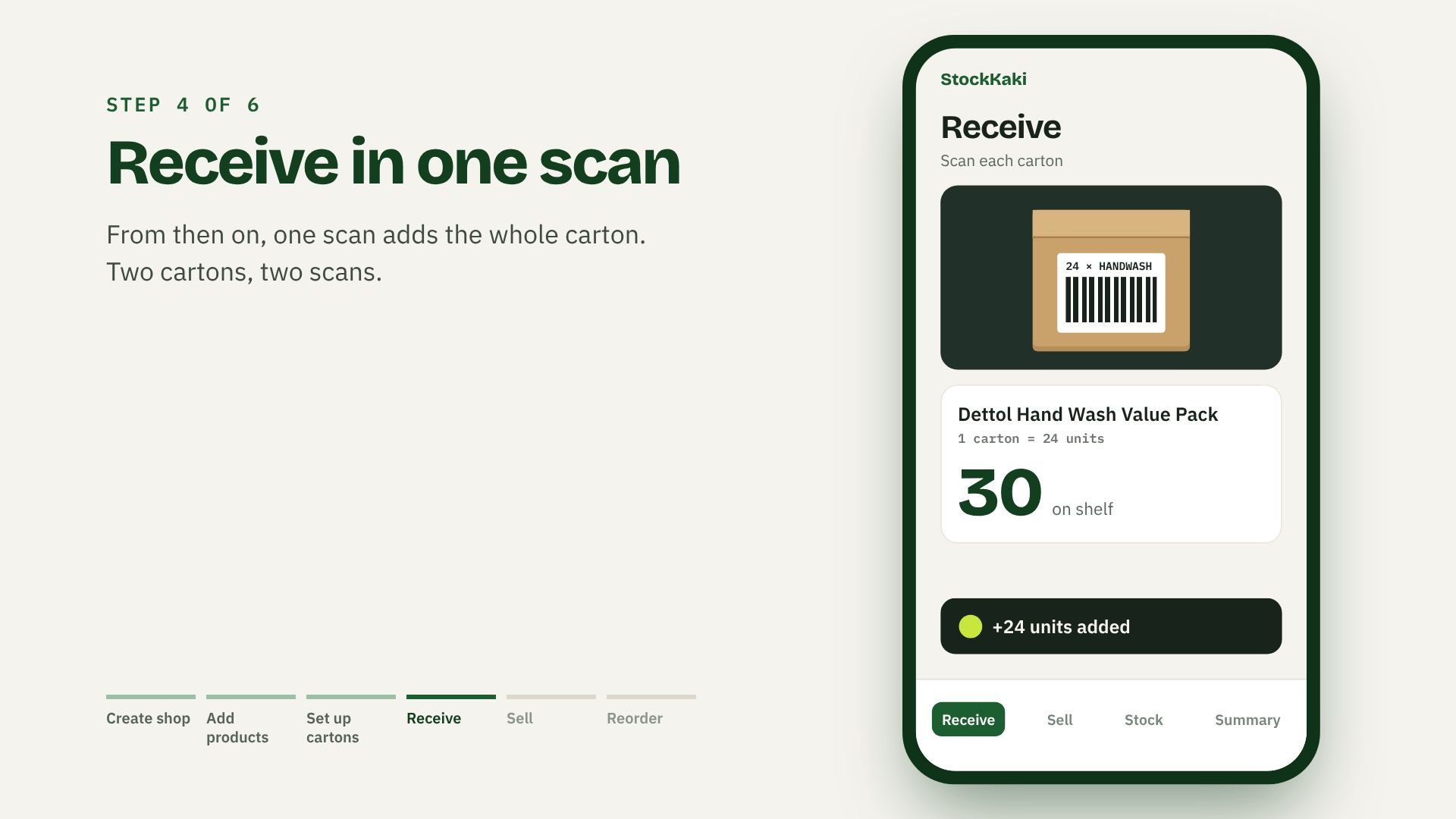
Set up your cartons
When the next delivery comes, scan each carton and set how many units it holds. You only do this once per carton type.
Run your day
Scan cartons in, scan sales out. When items run low, copy the reorder list to WhatsApp.
Free to count. Premium to grow.
Basic
Everything to run your daily stock.
- Scan to sell and receive, unlimited products
- Carton scan
- Live stock and in-app low-stock alerts
- Reorder list to WhatsApp
- Price list
- 1 login · 30 days of history
Premium
Reports, smart reorders and area insights.
Everything in Basic, plus:
- Reports: best and slow sellers, stock value, Excel export
- Smart reorder: quantities suggested from how fast items sell
- WhatsApp and email alerts, plus a daily summary
- Area insights: what’s trending nearby and how your prices compare
- Expiry tracking for medicines, baby and food items
- Staff logins, multiple outlets and full history
How area insights protect your shop
No other shop ever sees your sales. Area insights show grouped figures only, never a shop’s name, and only when at least 5 shops in the area take part. Only shops that choose to share their own data can see the insights.
Stop counting at closing time.
Set up your shop in minutes. Basic is free, for good.